How I Redesigned a Dashboard from a Wall of Data to a Window of Clarity

How I Redesigned a Dashboard from a Wall of Data to a Window of Clarity

Redesign

Redesign

Data Visualization

Data Visualization

Insight-Driven

Insight-Driven

~ 8 mins Read

~ 8 mins Read

Overview

Overview

Define Problem
Define Problem

When "More Data" Made Things Worse

When "More Data" Made Things Worse

60% of Participants Couldn’t Tell the Network Status Quickly

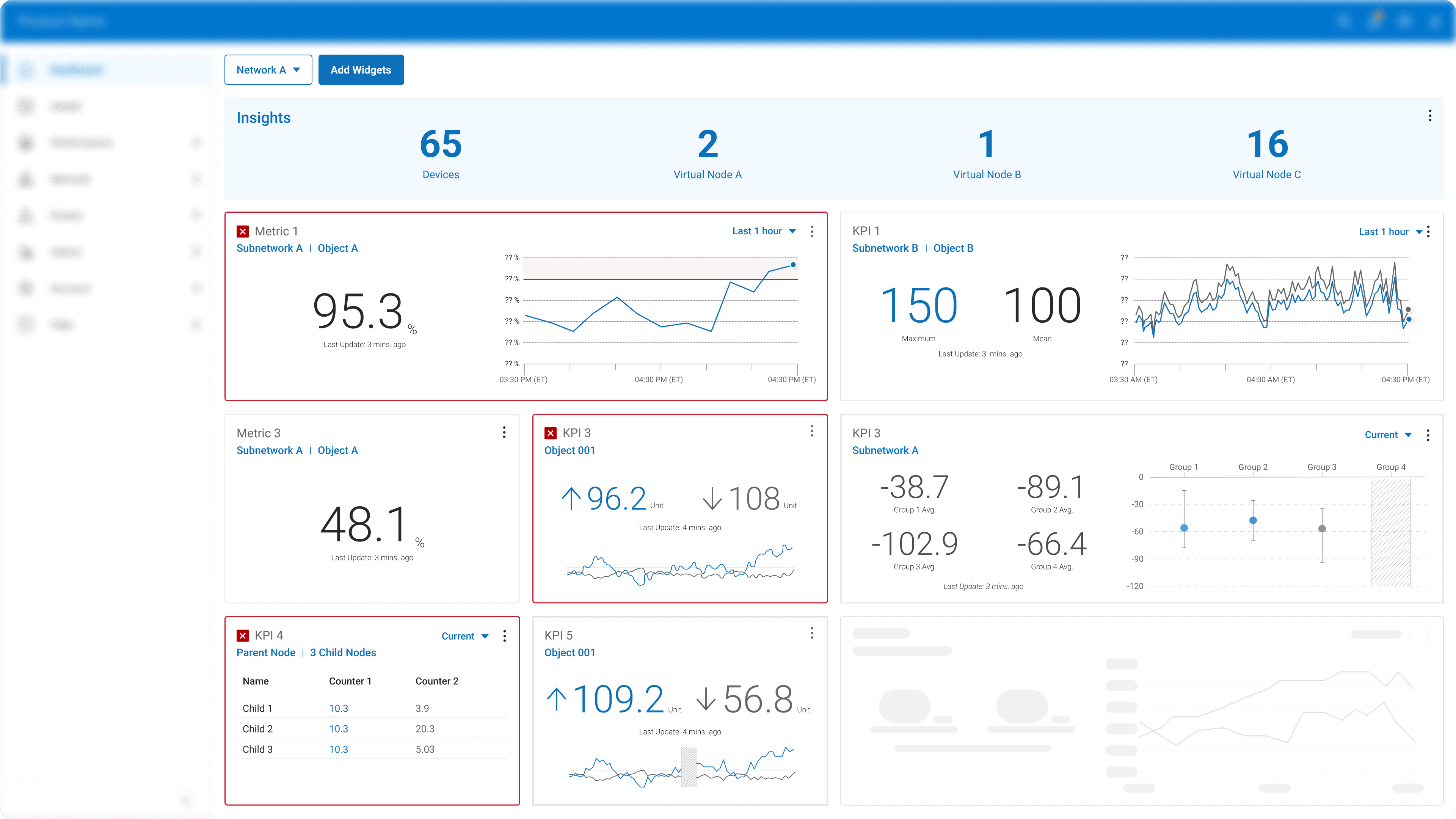
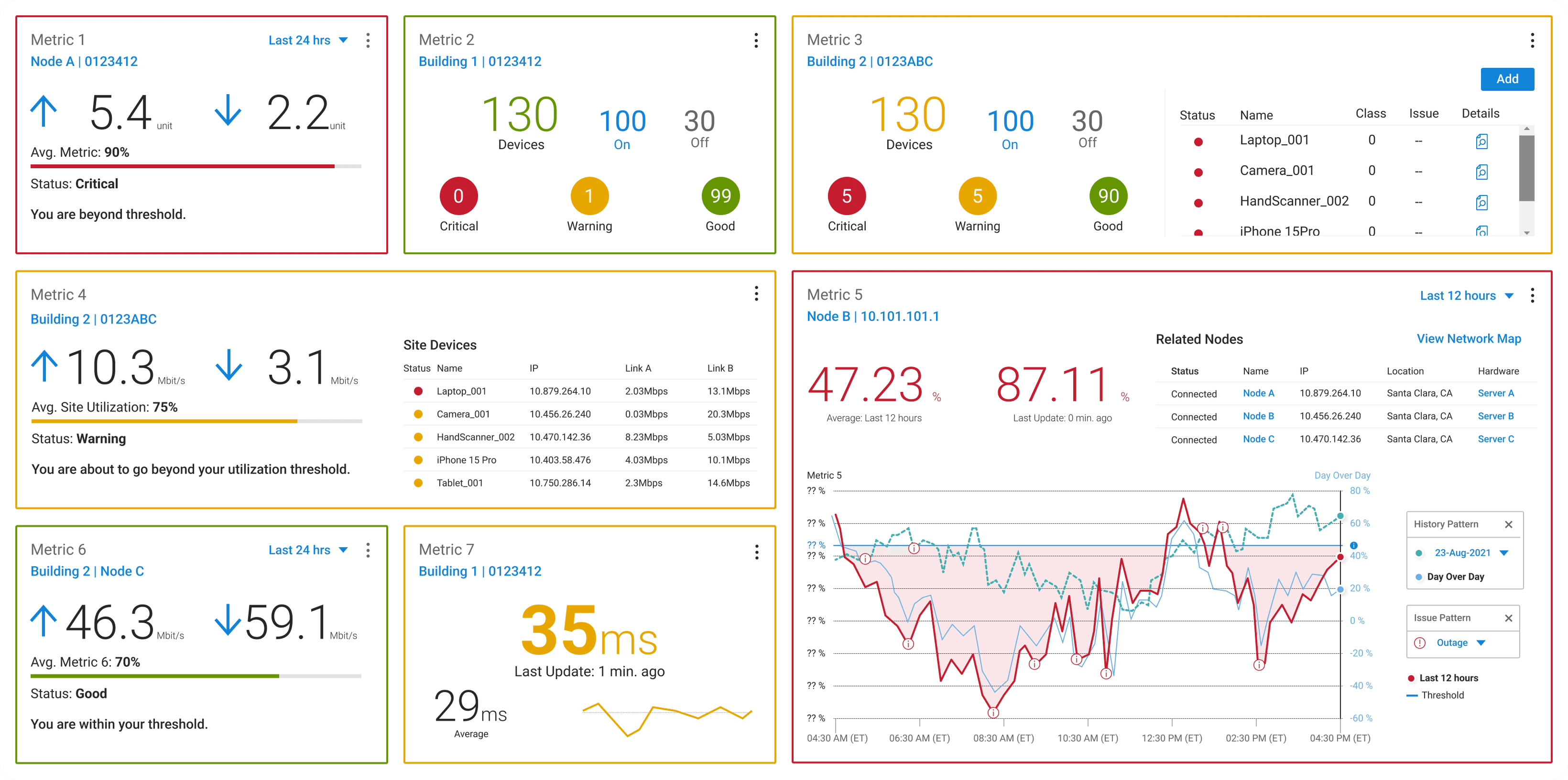
In testing, over half of users couldn’t tell if the network was healthy. The screen overflowed with metrics, graphs, and colors, but none told a clear story. One engineer said it best: “I don’t know if this is good or bad…I’d rather just check the Alerts page.”
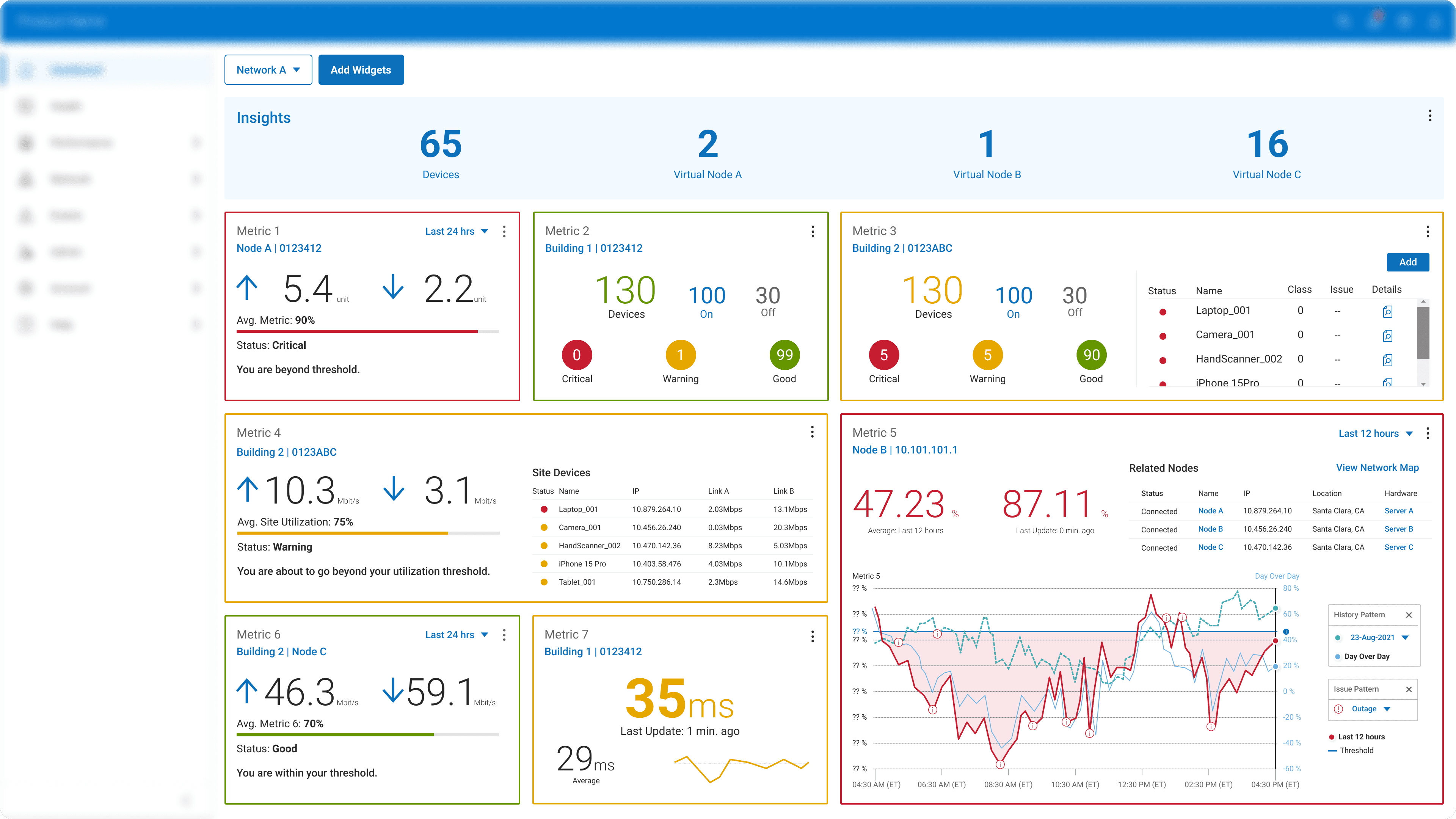

Original Dashboard Design

Original Dashboard Design

Why the Original Dashboard Design Failed Its Job

“There’s just too much going on...I can’t tell which metric actually matters.”

Justin

On-site Engineer with Less 5G Knowledge

“There’s just too much going on...I can’t tell which metric actually matters.”

Justin

On-site Engineer with Less 5G Knowledge

“There’s just too much going on...I can’t tell which metric actually matters.”

Justin

On-site Engineer with Less 5G Knowledge

“There’s just too much going on...I can’t tell which metric actually matters.”

Justin

On-site Engineer with Less 5G Knowledge

“These numbers don’t mean much to me unless I stop and think about them.”

Tim

IT Engineers Focusing On Single Network

“These numbers don’t mean much to me unless I stop and think about them.”

Tim

IT Engineers Focusing On Single Network

“These numbers don’t mean much to me unless I stop and think about them.”

Tim

Network ITs with Some 5G experience

“These numbers don’t mean much to me unless I stop and think about them.”

Tim

IT Engineers Focusing On Single Network

“As an admin, I just want to see which network needs attention first.”

Molly

Admins Managing Multiple Networks

“As an admin, I just want to see which network needs attention first.”

Molly

Admins Managing Multiple Networks

“As an admin, I just want to see which network needs attention first.”

Molly

Network Admin with Advanced 5G Experience

“As an admin, I just want to see which network needs attention first.”

Molly

Admins Managing Multiple Networks

Section 01
Section 01

From Data Overload to Visual Focus

From Data Overload to Visual Focus

More Information Meant More Uncertainty

To pinpoint where confusion started, I traced how engineers actually read dashboards under pressure. They scan for signals, not numbers. This led me to shift the goal: from showing everything accurately to communicating what’s important instantly.
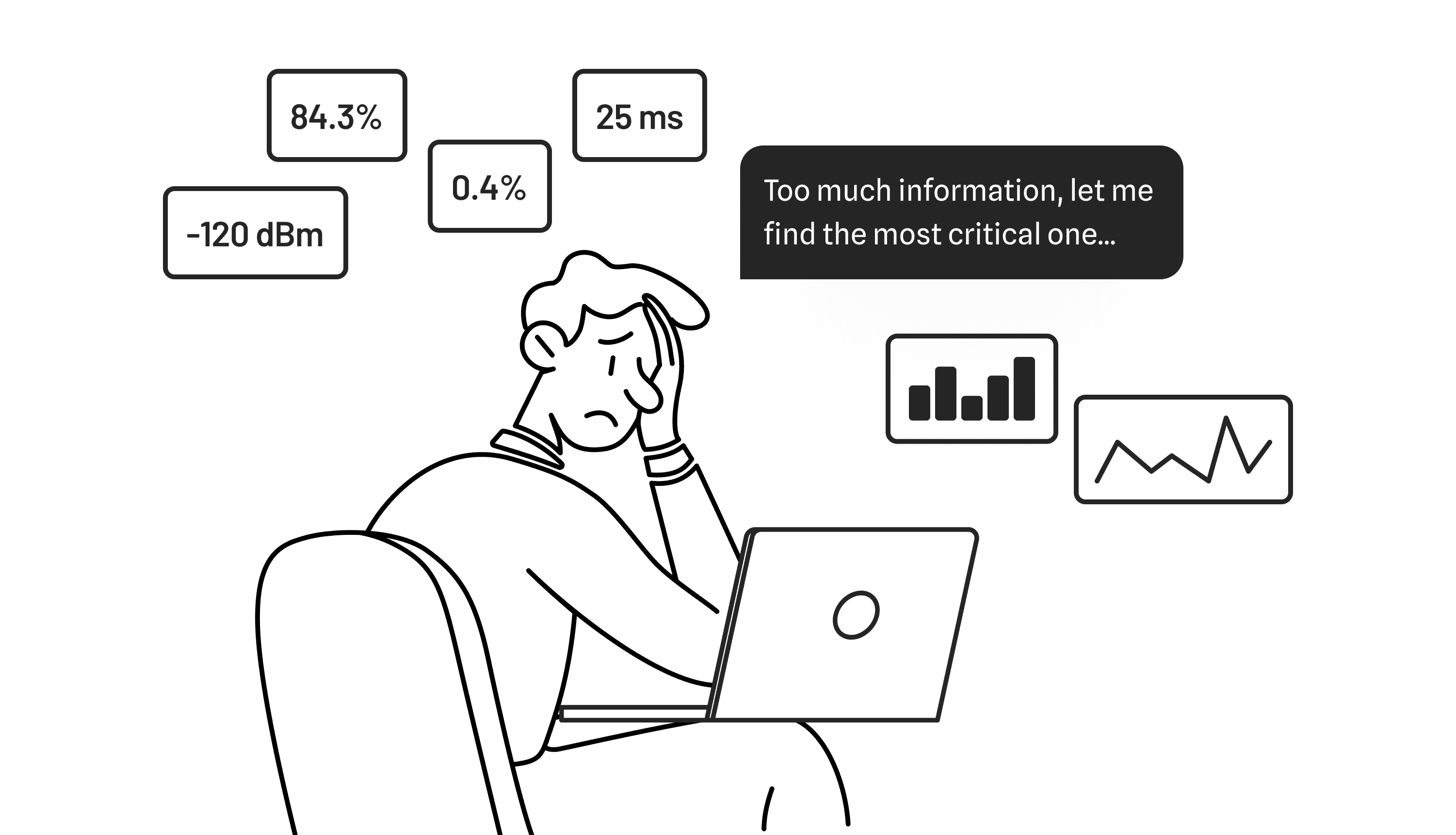
Simplifying Without Losing Meaning

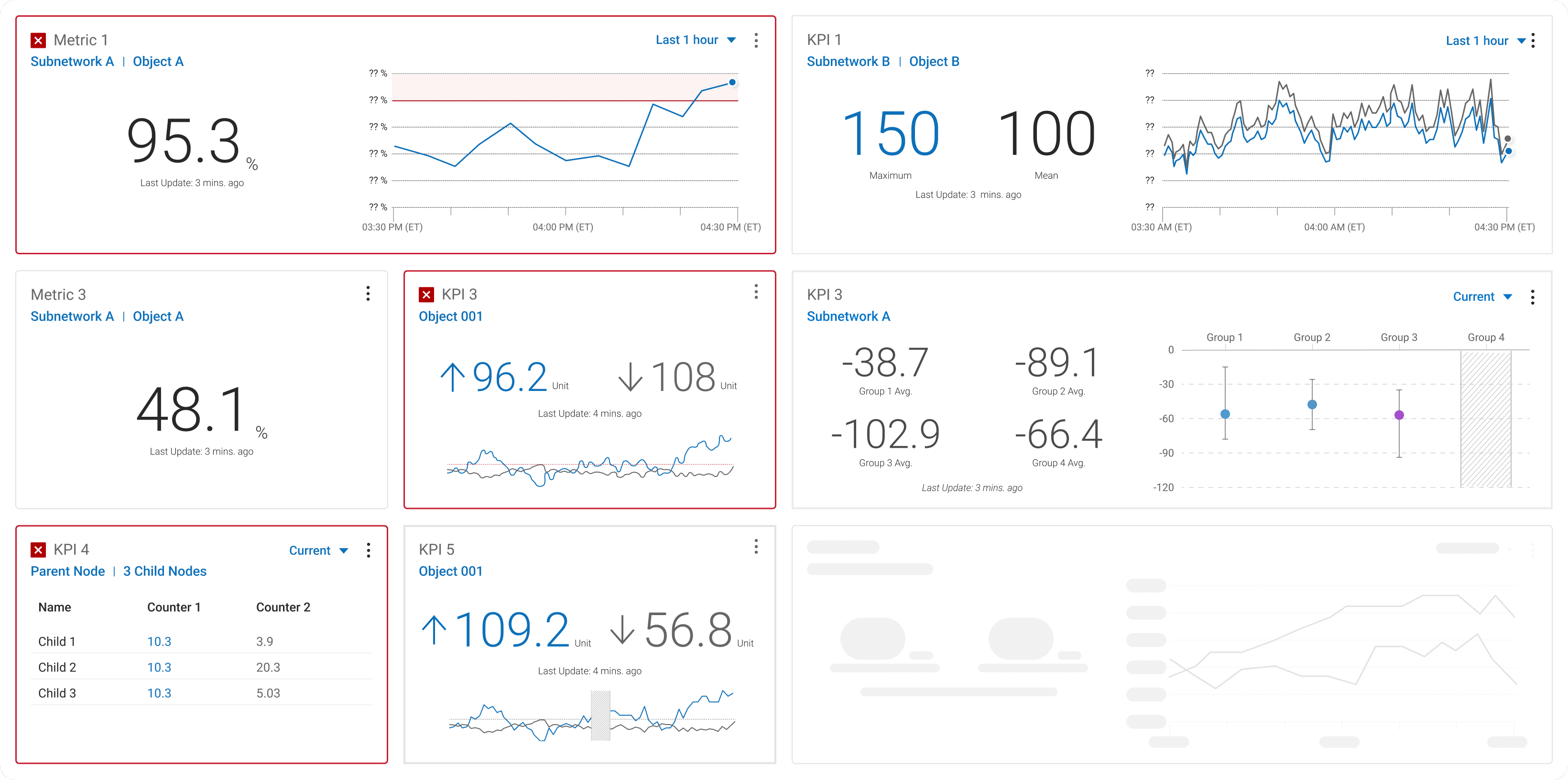
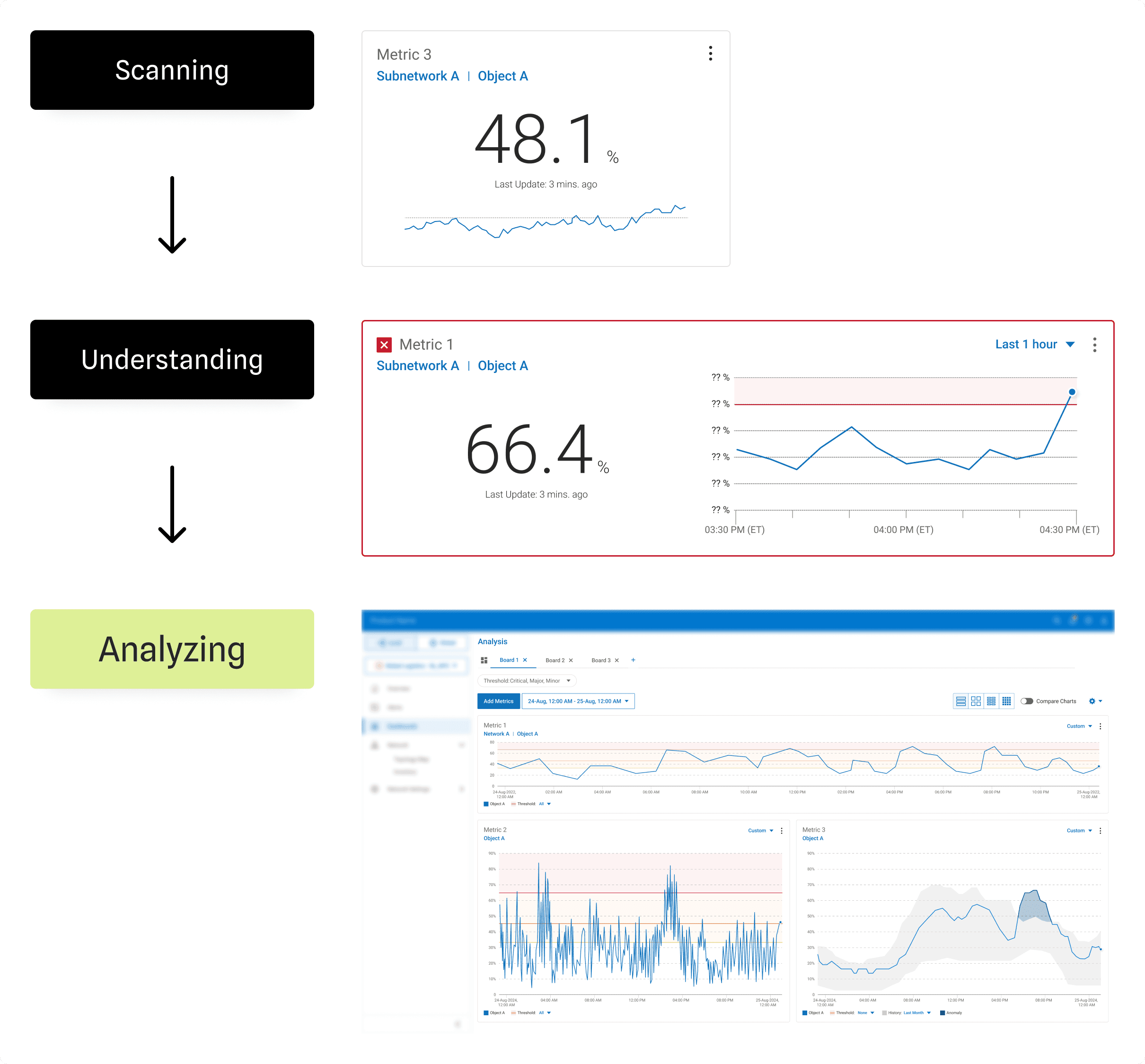
I redefined the visualization rules: using red only to flag severity and introducing a three-tier widget system aligned with users’ jobs-to-be-done.

  • Small: instant monitoring KPIs

  • Medium: recognizing pattern

  • Large: deep analysis (Analysis Page)

This hierarchy brought visual calm and helped users focus on the right level of detail at the right time.
Designing for Real Data: Handling Missing Information

Real data isn't perfect. When I tested my design with live samples, frequent "NaN" appeared without explanation.

To prevent misinterpretation, I explored 3 visual options and discovered that texture communicates better than color alone.

The final solution used a diagonal-hatched gray bar to indicate missing segments. Users appreciated finally knowing when “no data” simply meant no data, not system failure.
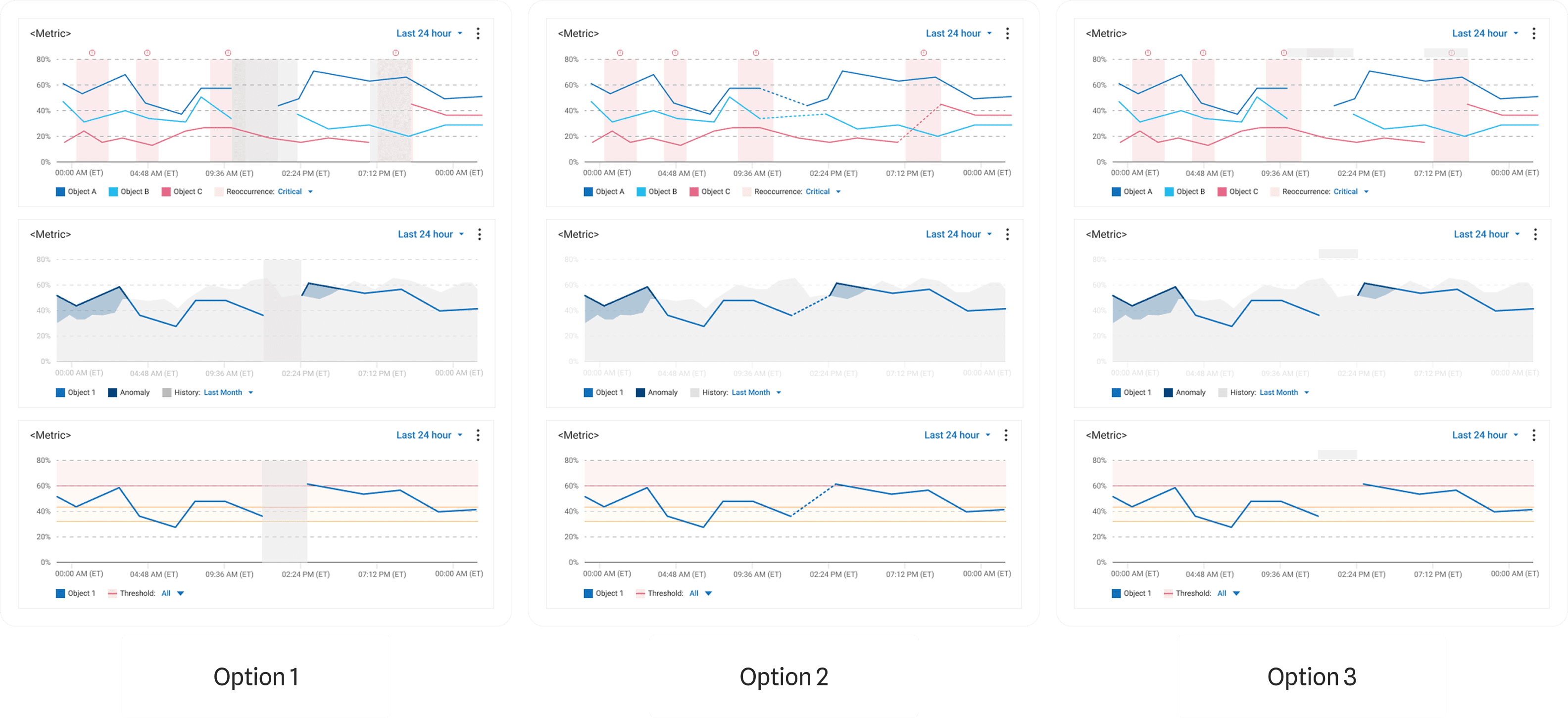
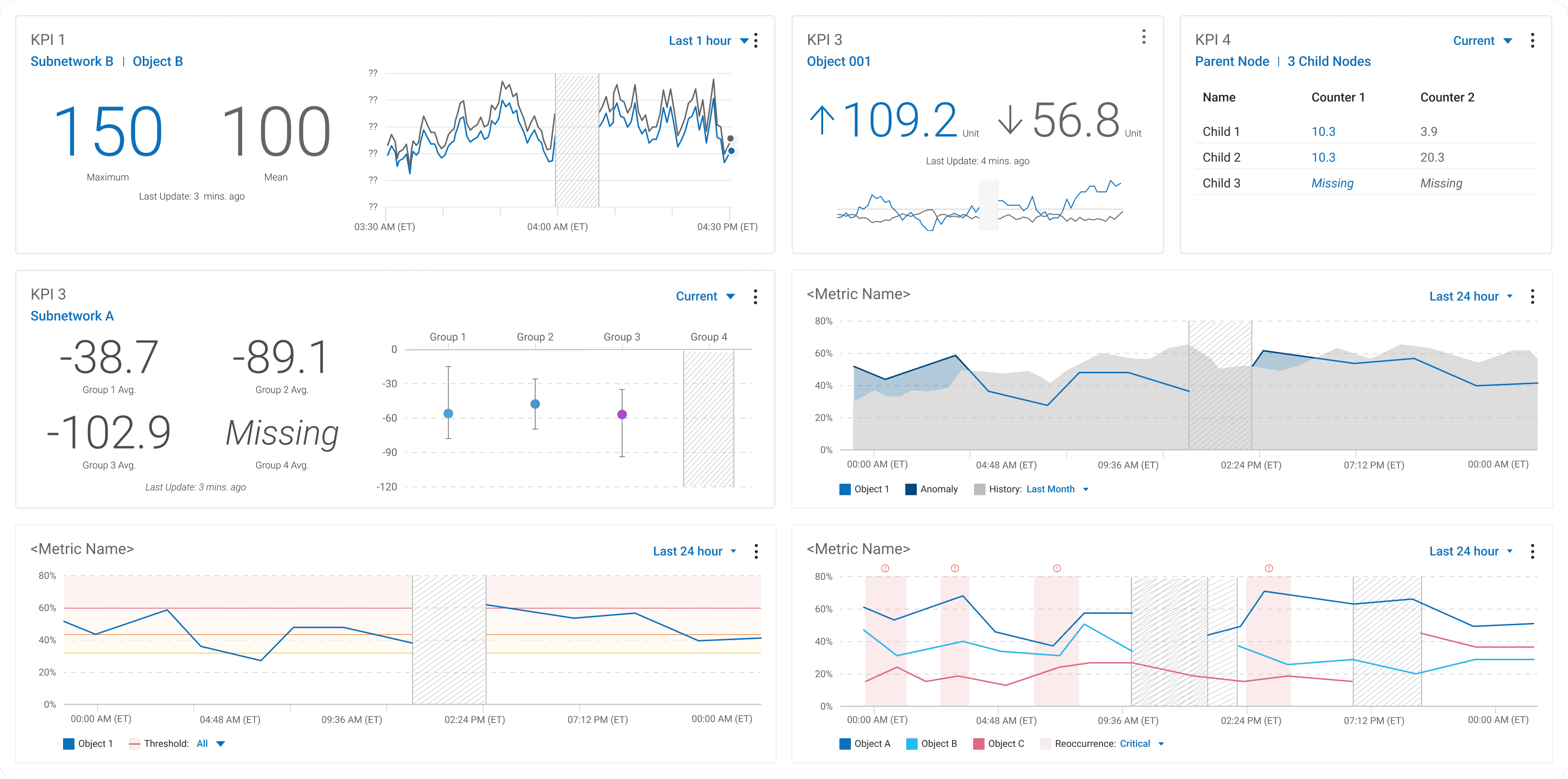
Exploring and Testing 3 visual options to handle Missing Data.

Exploring and Testing 3 visual options to handle Missing Data.

Combining the Benefits of Option 1 and Option 2.

Combining the Benefits of Option 1 and Option 2.

Solution

Clear Visual Hierarchy

+

Missing Data Handling

Solution

Clear Visual Hierarchy

+

Missing Data Handling

Solution

Clear Visual Hierarchy

+

Missing Data Handling

Solution

Clear Visual Hierarchy

+

Missing Data Handling

Solution

Clear Visual Hierarchy

+

Missing Data Handling

Section 02
Section 02

From Numbers to Insights

From Numbers to Insights

Finding the Real Problem Behind Messy Dashboard

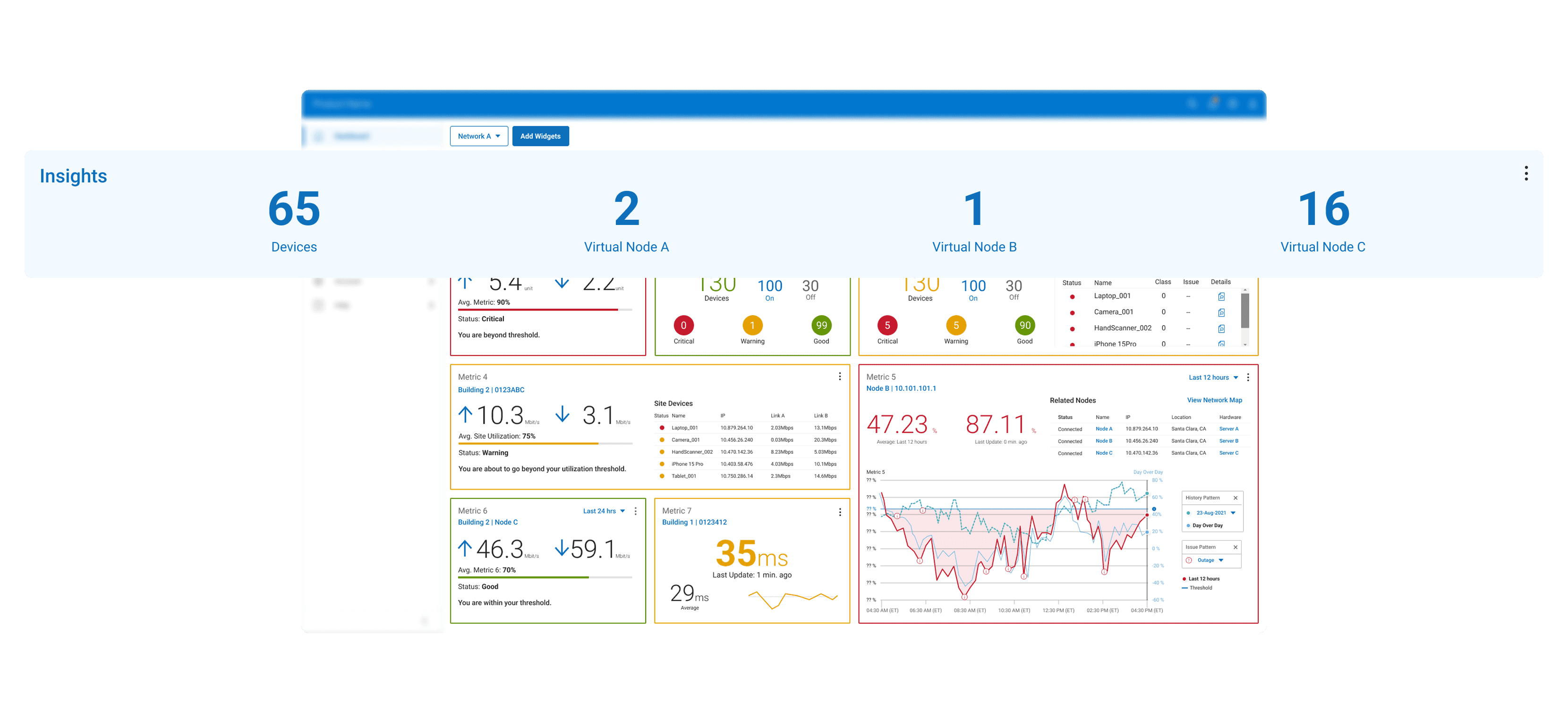
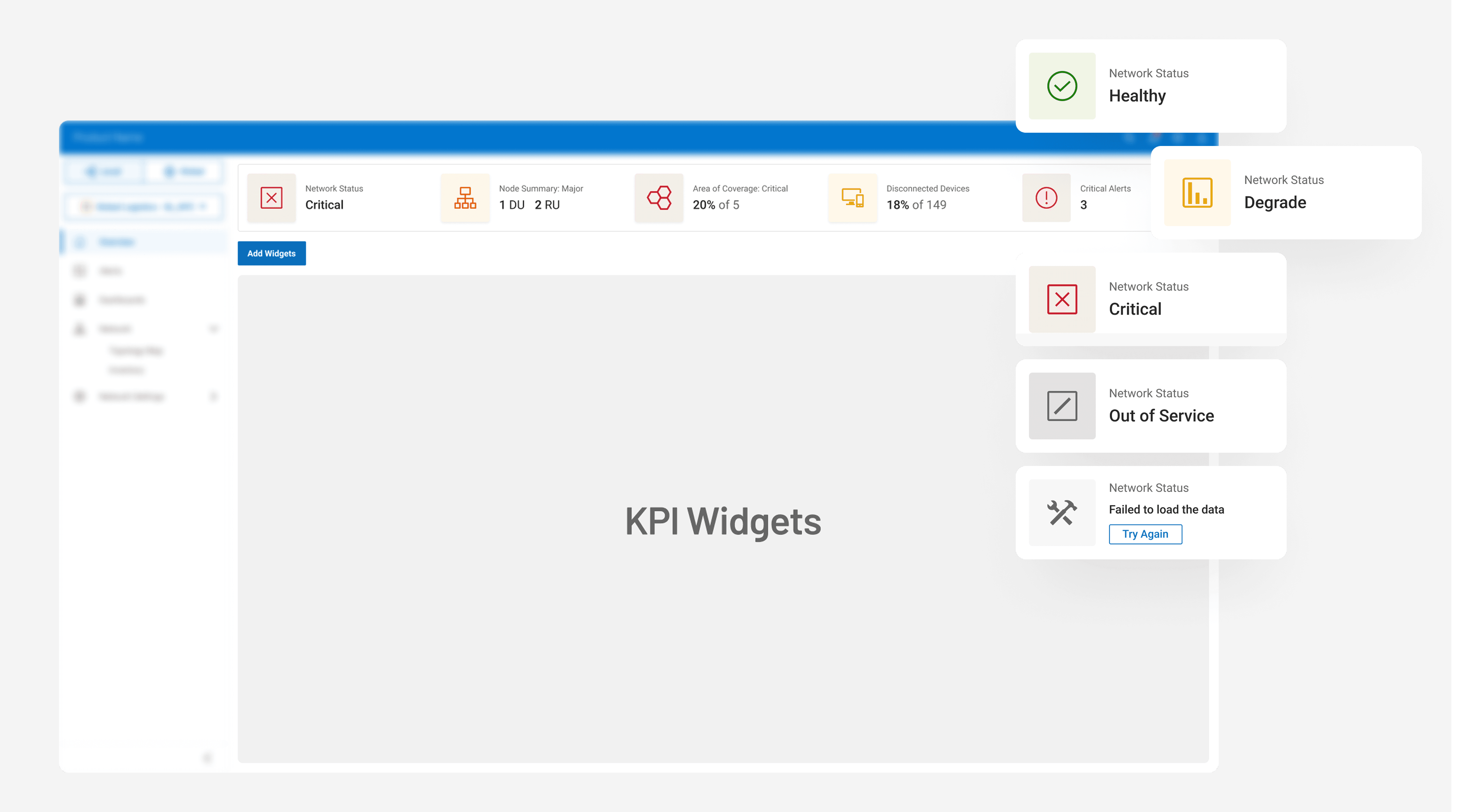
User testing revealed that engineers didn’t lack data, they lacked guidance. They opened the dashboard expecting a quick pulse check but instead found themselves decoding numbers. What they needed was not more metrics but immediate clarity.
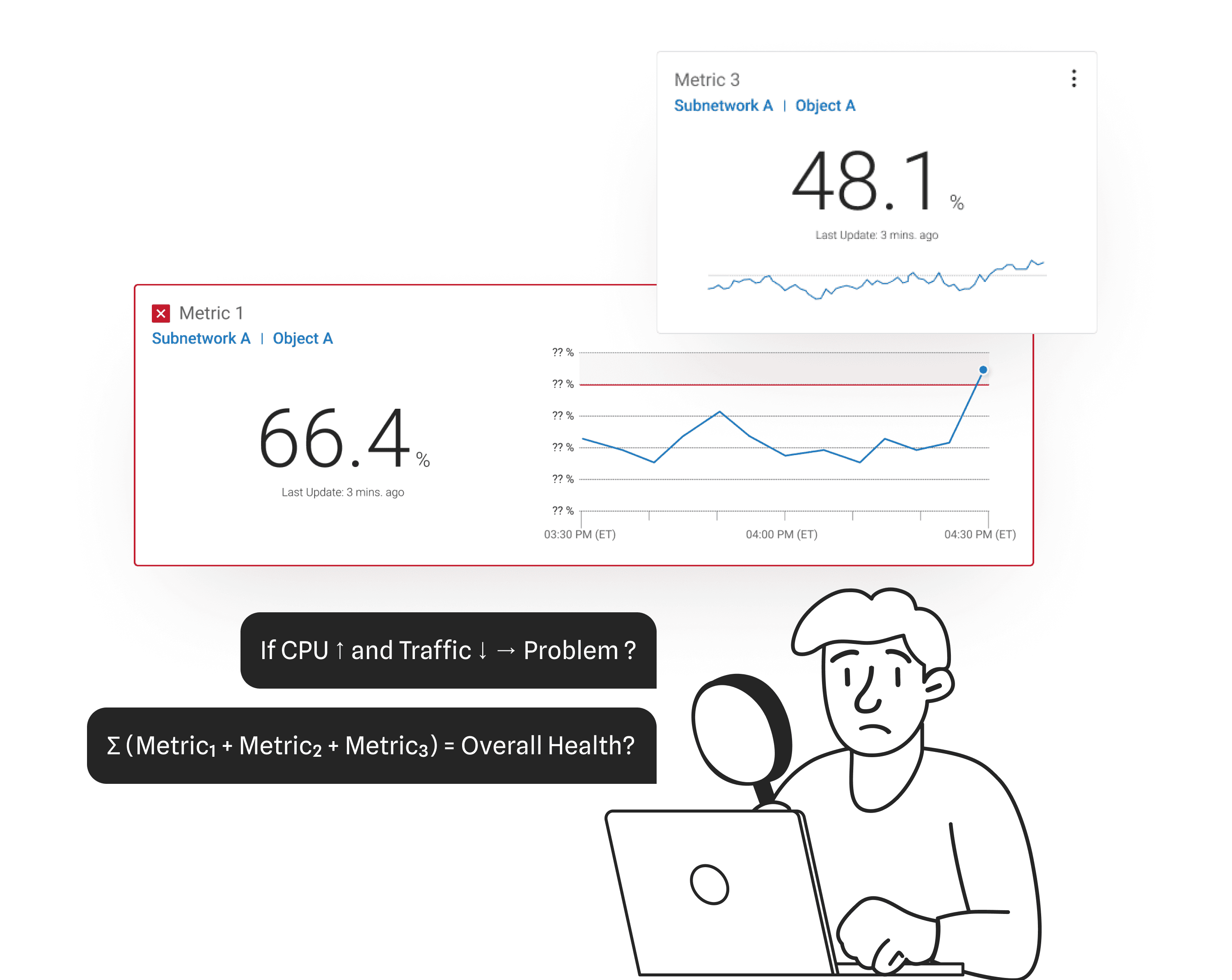
User Pain Point

Insight Bar only listed raw data, forcing users to think and calculate

Static, overly technical visuals left users struggling to see how things were connected.

Defining What "Matters Most" & Iterating for MVP

Early conversations focused on “showing more metrics.” I reframed the discussion toward clarity over quantity. Collaborating with PMs and UXR, we defined what indicates health, what signals risk, and what requires immediate attention.

This reframed the Insight Bar from a static display to a decision layer that communicates context and urgency.
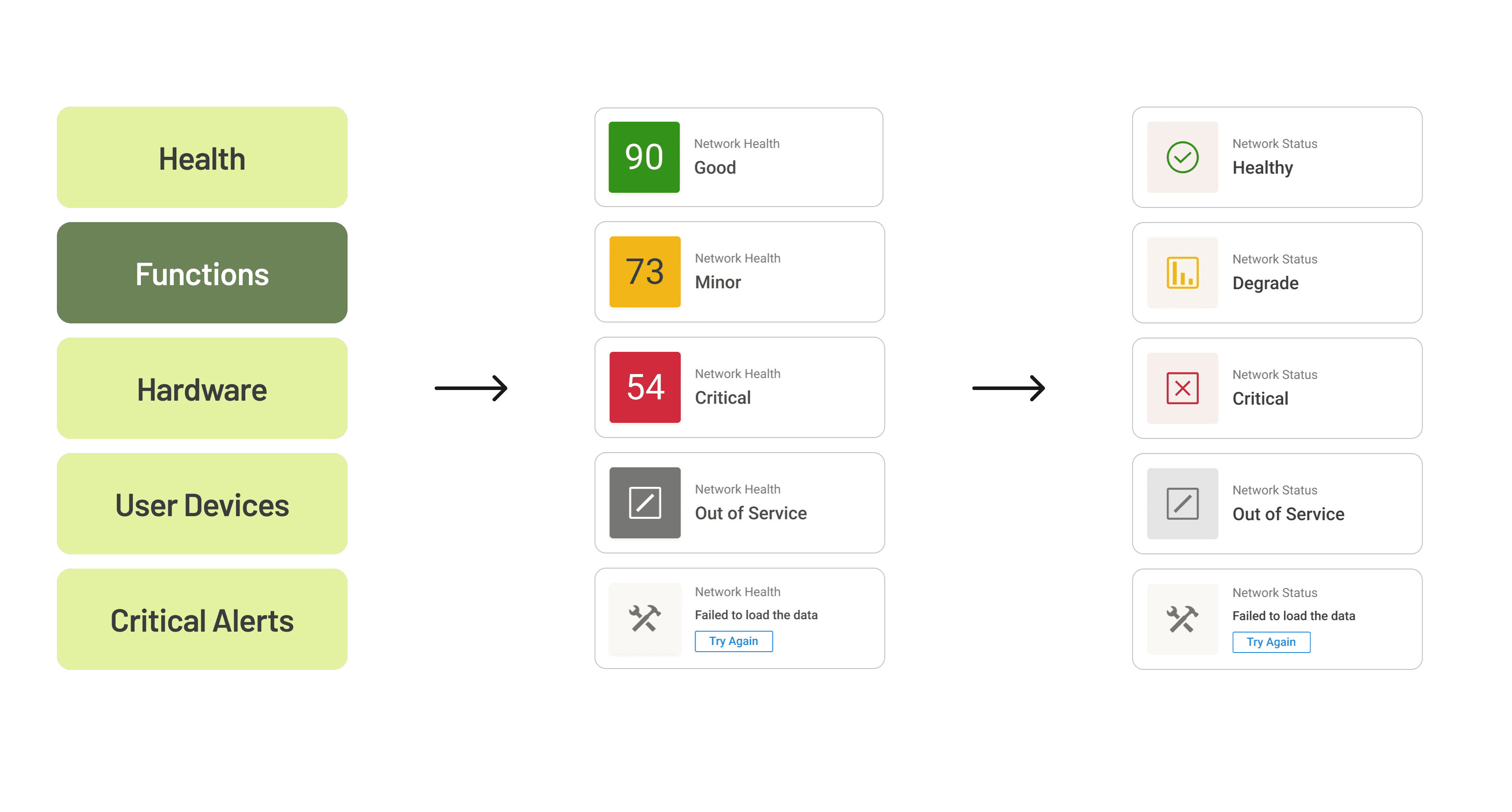
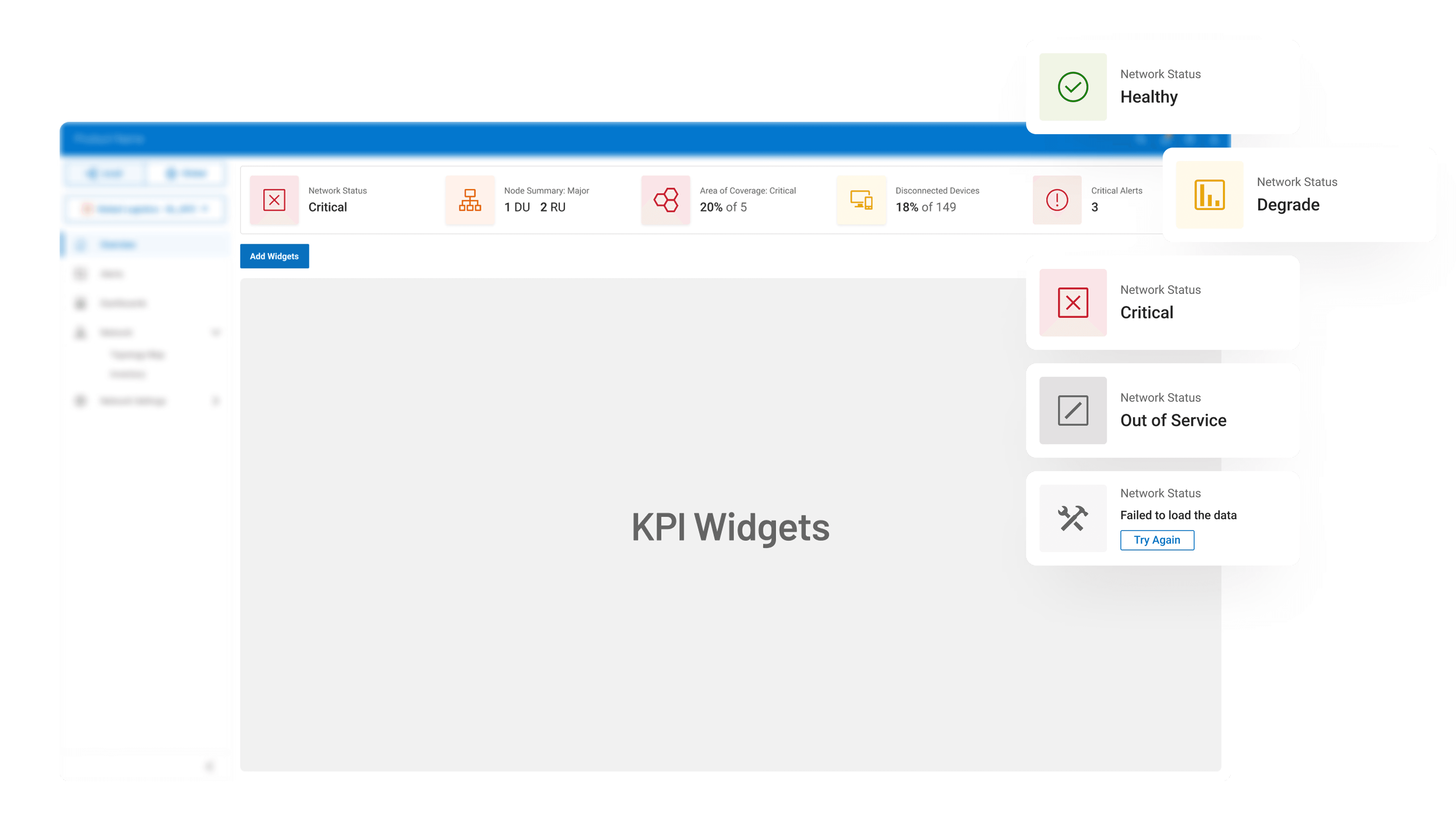
Real-world Use Cases. Details are intentionally vague due to NDA - contact me for more context

Real-world Use Cases. Details are intentionally vague due to NDA - contact me for more context

Section 03
Section 03

When One Dashboard Didn’t Fit All

When One Dashboard Didn’t Fit All

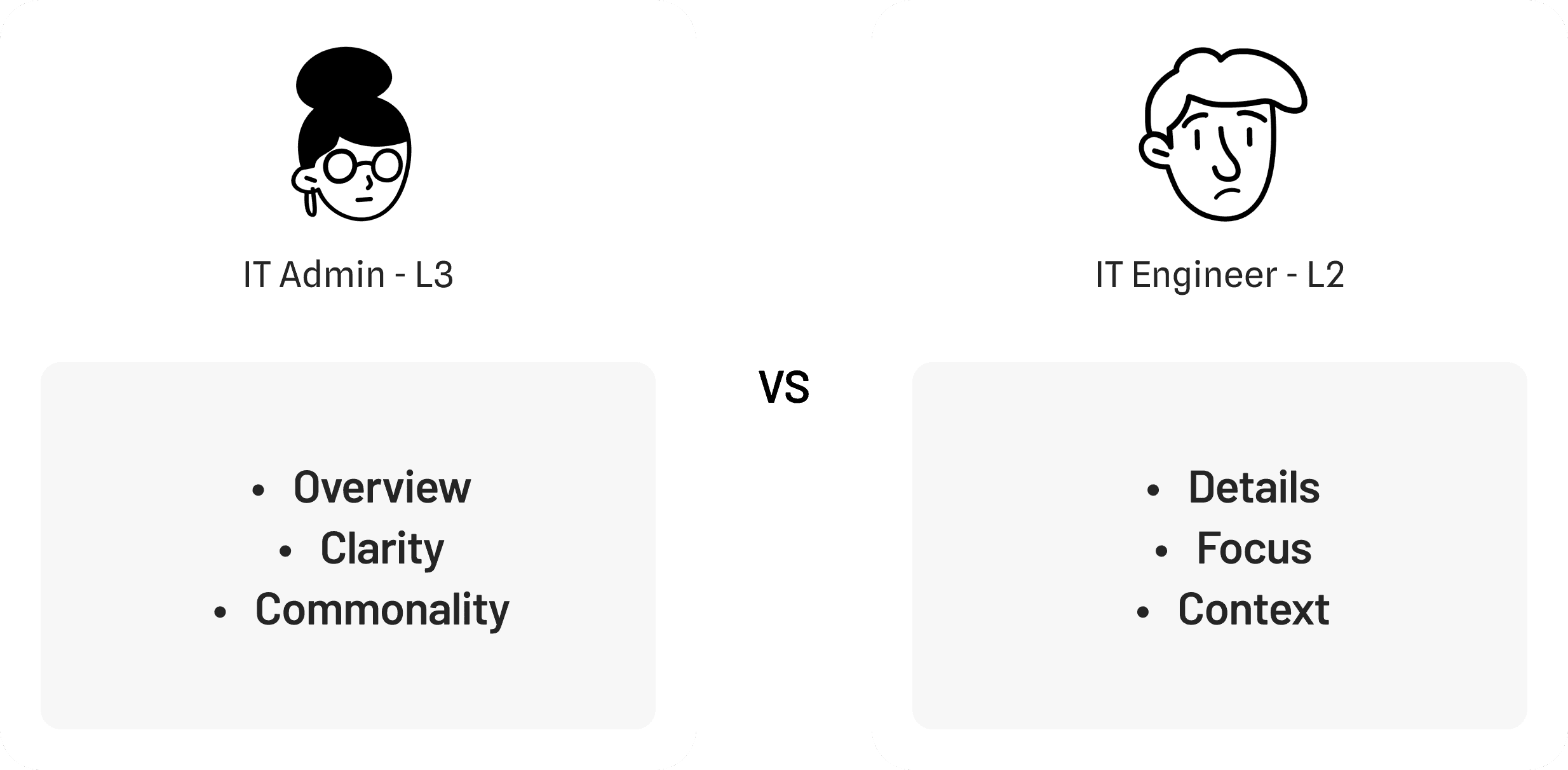
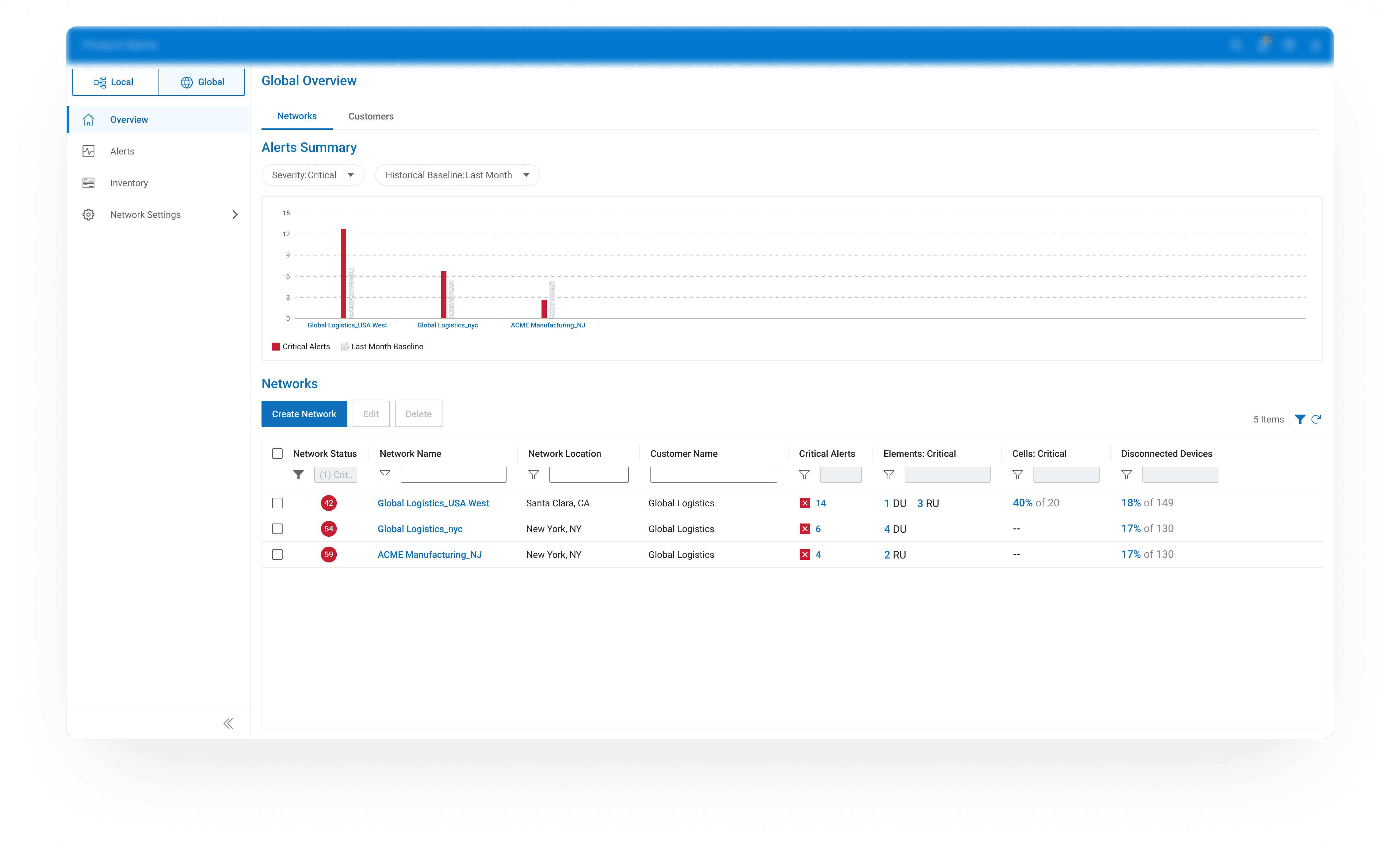
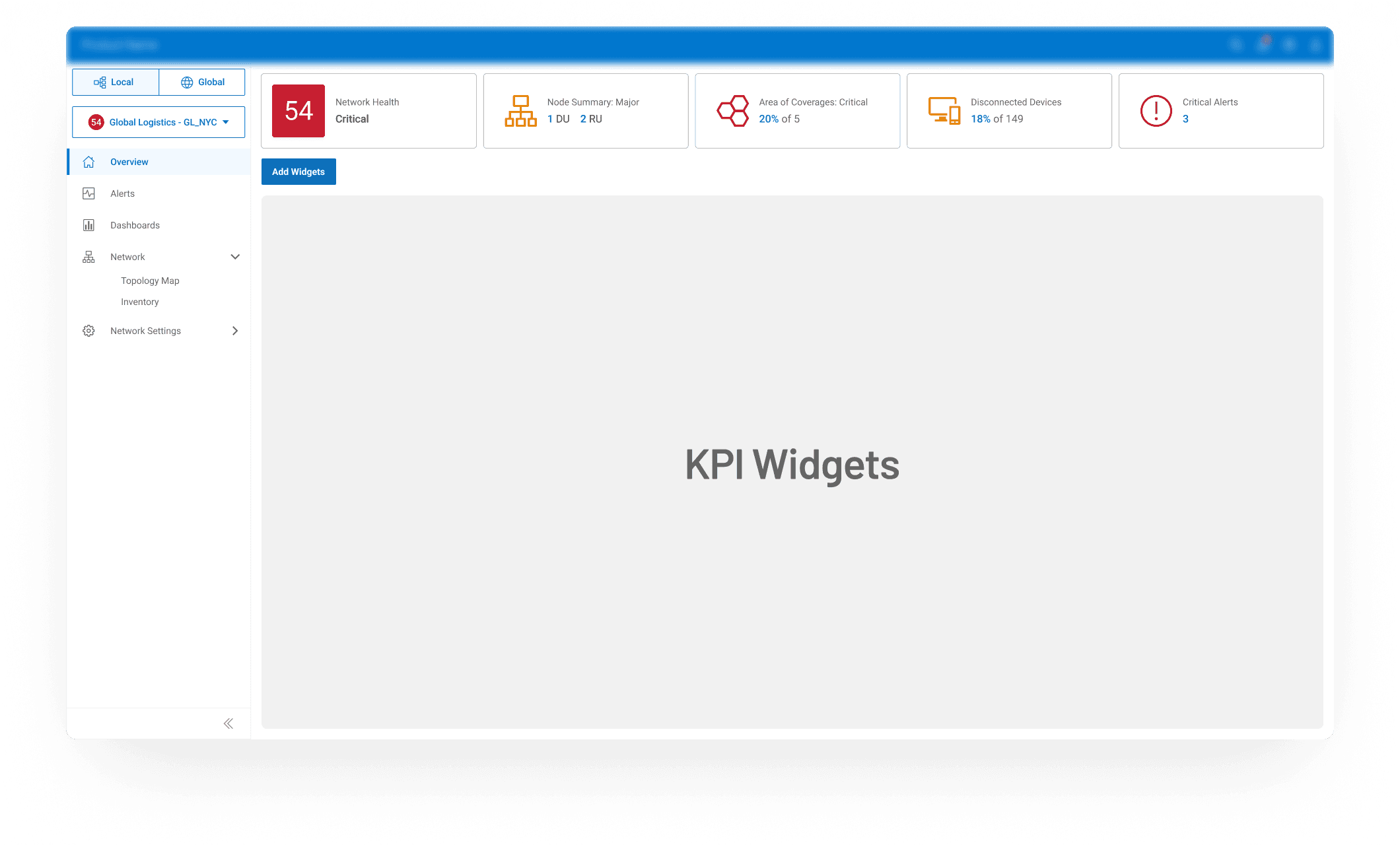
Defining Two Complementary Views

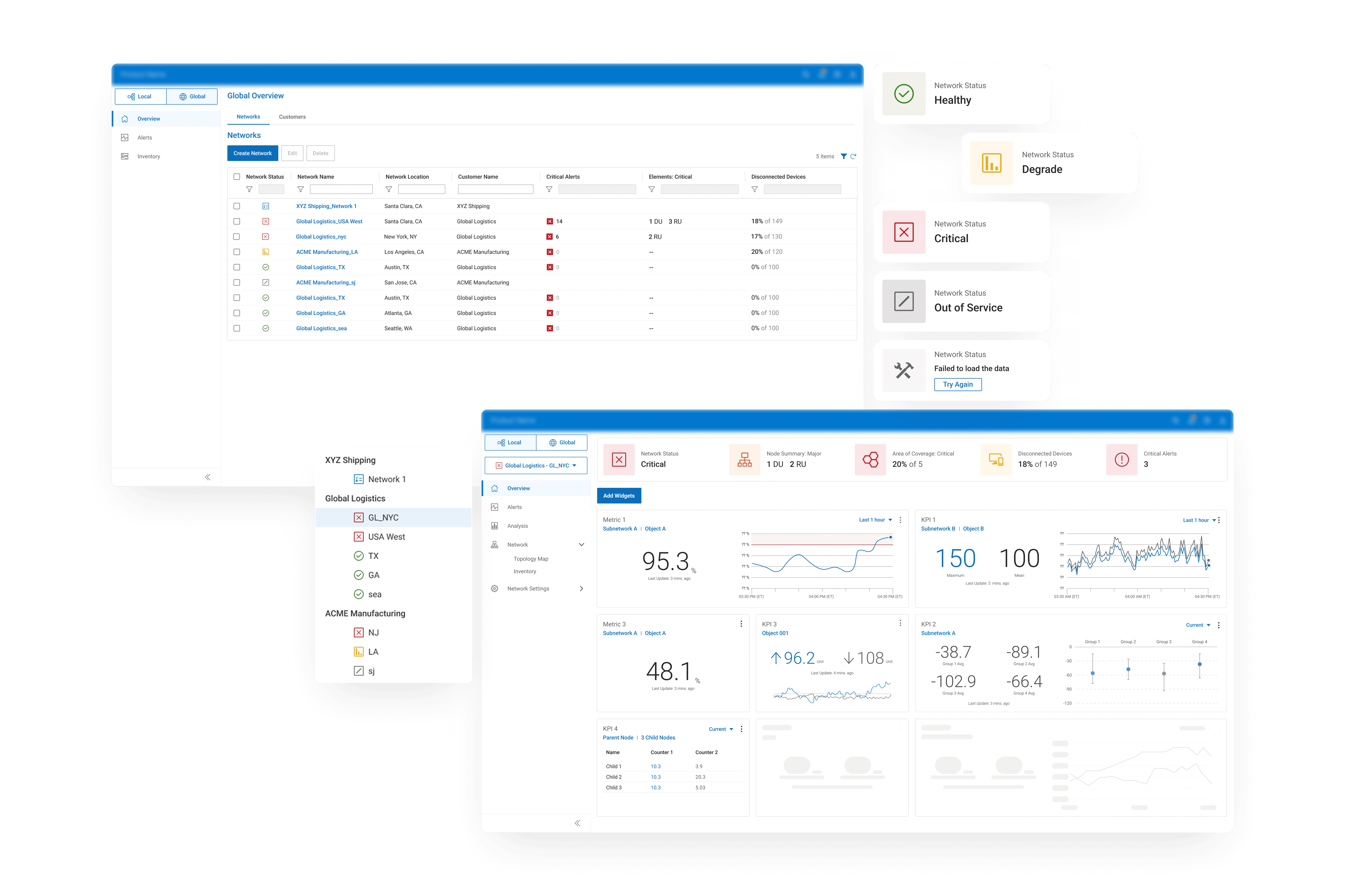
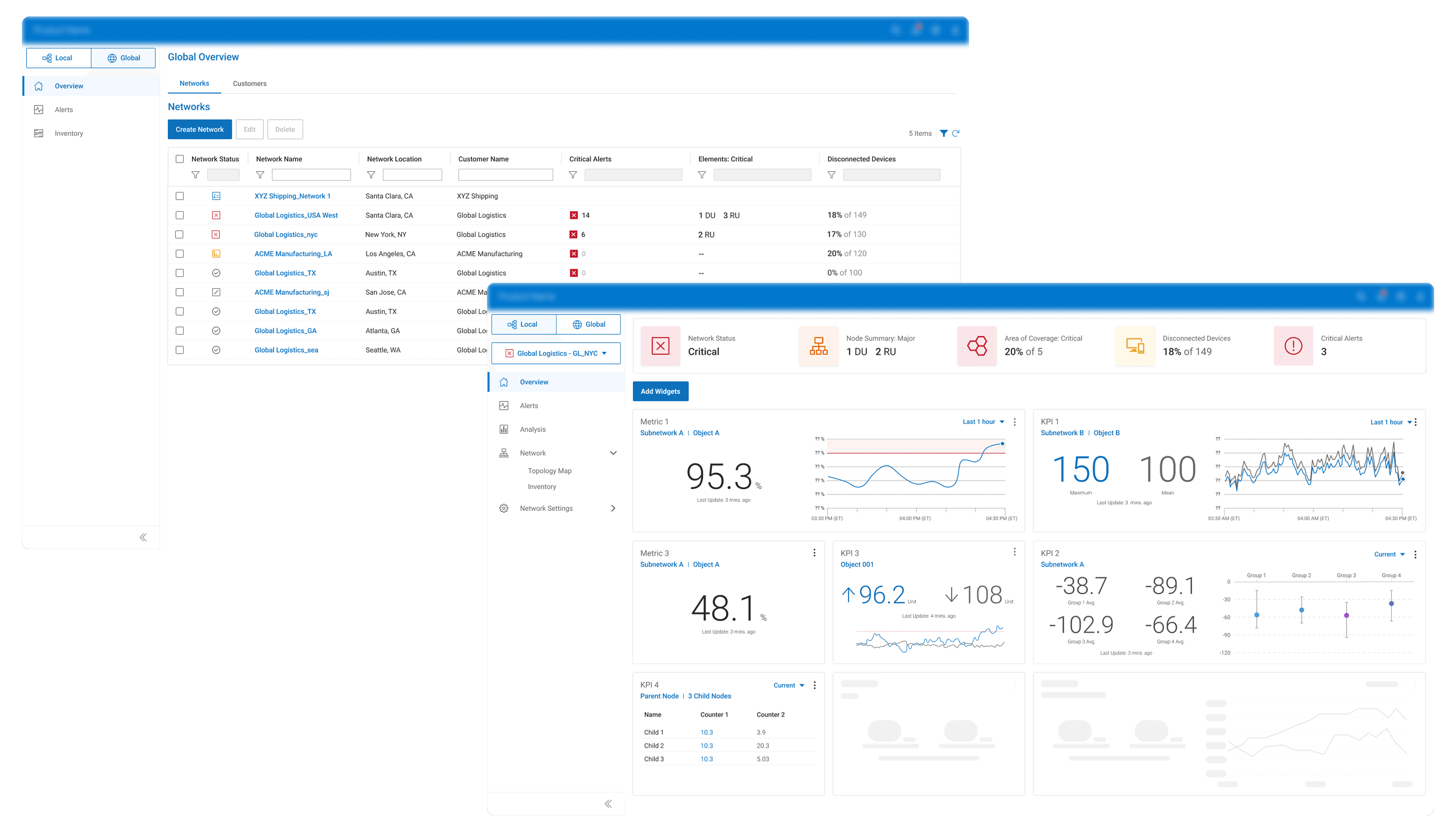
Instead of compromising on a single layout, I proposed separating experiences while keeping them visually connected. Through working sessions with PMs, engineers, and UXR, we outlined what each role must see first, what could be optional, and how to maintain consistency across both views.
Solution

2-Level Dashboard System

+

Correlated Through Side Nav

Solution

2-Level Dashboard System

+

Correlated Through Side Nav

Solution

2-Level Dashboard System

+

Correlated Through Side Nav

Solution

2-Level Dashboard System

+

Correlated Through Side Nav

Solution

2-Level Dashboard System

+

Correlated Through Side Nav

Results & Impacts
Results & Impacts

Final Deliverables: Trimmed to MVP

Final Deliverables: Trimmed to MVP

4.9/5

Satisfaction Score

4.9/5

Satisfaction Score

4.9/5

Satisfaction Score

4.9/5

Satisfaction Score

4.9/5

Satisfaction Score

90%

Task Complete Rate

90%

Task Complete Rate

90%

Task Complete Rate

90%

Task Complete Rate

90%

Task Complete Rate

+40%

Faster Recognition

+40%

Faster Recognition

+40%

Faster Recognition

+40%

Faster Recognition

+40%

Faster Recognition

Improved Clarity and Trust

All participants found the new dashboard more intuitive and reliable, turning complex data into clear, trustworthy signals.

Improved Clarity and Trust

All participants found the new dashboard more intuitive and reliable, turning complex data into clear, trustworthy signals.

Improved Clarity and Trust

All participants found the new dashboard more intuitive and reliable, turning complex data into clear, trustworthy signals.

Improved Clarity and Trust

All participants found the new dashboard more intuitive and reliable, turning complex data into clear, trustworthy signals.

Improved Clarity and Trust

All participants found the new dashboard more intuitive and reliable, turning complex data into clear, trustworthy signals.

Higher Task Completion

90% of participants successfully identified network status and stopped switching pages for confirmation.

Higher Task Completion

90% of participants successfully identified network status and stopped switching pages for confirmation.

Higher Task Completion

90% of participants successfully identified network status and stopped switching pages for confirmation.

Higher Task Completion

90% of participants successfully identified network status and stopped switching pages for confirmation.

Higher Task Completion

90% of participants successfully identified network status and stopped switching pages for confirmation.

Faster Decision-Making

Usability testing showed a 40% improvement in how quickly participants recognized overall network status.

Faster Decision-Making

Usability testing showed a 40% improvement in how quickly participants recognized overall network status.

Faster Decision-Making

Usability testing showed a 40% improvement in how quickly participants recognized overall network status.

Faster Decision-Making

Usability testing showed a 40% improvement in how quickly participants recognized overall network status.

Faster Decision-Making

Usability testing showed a 40% improvement in how quickly participants recognized overall network status.

Thanks for Visiting!

Let’s connect →

© 2025 Yihan Lin

Thanks for Visiting!

Let’s connect →

© 2025 Yihan Lin

Thanks for Visiting!

Let’s connect →

© 2025 Yihan Lin

Thanks for Visiting!

Let’s connect →

© 2025 Yihan Lin

Thanks for Visiting!

Let’s connect →

© 2025 Yihan Lin